n8n for Data Analytics: Build Automated Reporting Dashboards That Drive Decisions
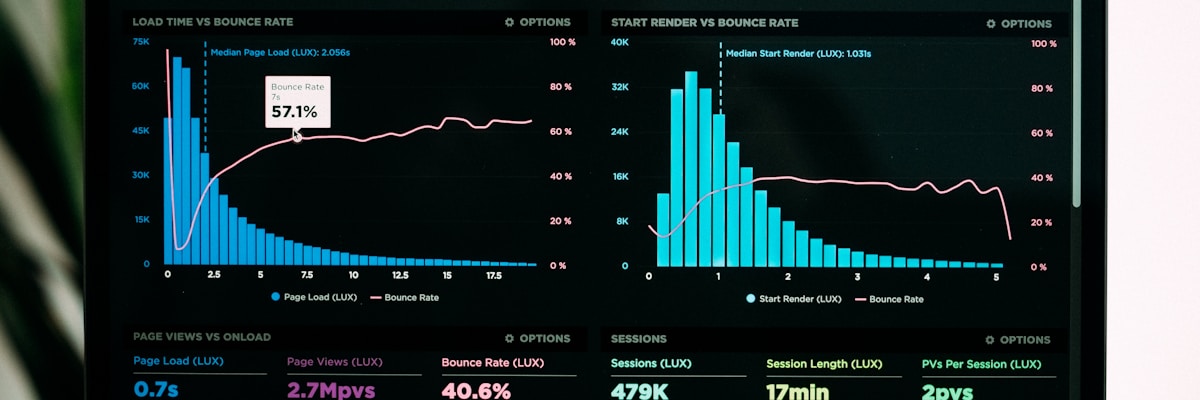
Transform raw data into actionable insights with automated n8n analytics workflows
How data-driven teams are eliminating manual reporting and building real-time analytics pipelines with n8n
Data is the lifeblood of modern business, but most teams spend more time preparing reports than acting on insights. Manual data collection, spreadsheet wrangling, and stale dashboards are costing companies agility and competitive advantage.
n8n changes the game. This open-source workflow automation platform lets you build powerful ETL pipelines, real-time dashboards, and automated reporting systems that deliver insights when they matter—without the enterprise BI price tag.
In this guide, I'll share 8 battle-tested n8n workflows that data teams are using to automate analytics pipelines, build live dashboards, and transform how their organizations make data-driven decisions.
📑 Table of Contents
- Multi-Source Data Aggregation Pipeline
- Automated ETL Workflow with Data Validation
- Real-Time KPI Dashboard Feeder
- Scheduled Report Generation & Distribution
- Data Quality Monitoring & Alerting
- Cross-Platform Analytics Unification
- Anomaly Detection & Automated Insights
- Self-Service Data Export Portal
- Conclusion & Getting Started
1. Multi-Source Data Aggregation Pipeline

❌ The Challenge
Your business data lives everywhere—Stripe for payments, Google Analytics for traffic, Salesforce for CRM, PostgreSQL for app data. Pulling it together for analysis means logging into 10+ platforms, exporting CSVs, and praying the formats match.
✅ How n8n Solves It
An automated data aggregation system that:
- Connects to 400+ data sources via native integrations (databases, APIs, SaaS tools)
- Pulls data on schedules or triggers (hourly, daily, event-based)
- Standardizes formats automatically (JSON, CSV, XML → unified schema)
- Handles pagination and rate limits gracefully
- Loads to your data warehouse (PostgreSQL, Snowflake, BigQuery, ClickHouse)
Supported Data Sources
| Category | Examples |
|---|---|
| Databases | PostgreSQL, MySQL, MongoDB, Redis, Snowflake |
| Analytics | Google Analytics 4, Mixpanel, Amplitude, Segment |
| Marketing | HubSpot, Mailchimp, Facebook Ads, Google Ads |
| Payments | Stripe, PayPal, Shopify, WooCommerce |
| Support | Zendesk, Intercom, Freshdesk |
| Storage | S3, Google Sheets, Airtable, Notion |
🎯 Key Benefits
- ✅ Single source of truth for all business metrics
- ✅ Save 10+ hours weekly on manual data exports
- ✅ Fresh data available in minutes, not days
- ✅ API rate limit management built-in
2. Automated ETL Workflow with Data Validation

❌ The Challenge
Raw data is messy—missing values, inconsistent formats, duplicates. Without proper ETL (Extract, Transform, Load), your dashboards show garbage, and decisions based on bad data cost money.
✅ How n8n Solves It
A production-grade ETL pipeline that:
- Extracts data from source systems via APIs or database connections
- Validates data quality with custom rules (schema checks, range validation)
- Cleans and transforms using JavaScript, Python, or built-in functions
- Handles errors gracefully with retry logic and dead letter queues
- Loads to destination with transaction safety and rollback support
Data Validation Rules Example
// Data validation node in n8n
const validations = [
  { field: 'email', rule: 'email', required: true },
  { field: 'revenue', rule: 'number', min: 0, max: 1000000 },
  { field: 'date', rule: 'date', format: 'ISO8601' },
  { field: 'status', rule: 'enum', values: ['active', 'inactive'] }
];

// Failed records → quarantine table for review
// Passed records → production warehouse
🎯 Key Benefits
- ✅ 99.9% data accuracy through validation gates
- ✅ Automatic error handling with notifications
- ✅ Audit trail of all data transformations
- ✅ Retry failed operations without manual intervention
3. Real-Time KPI Dashboard Feeder

❌ The Challenge
Static dashboards that update once a day are useless when you're trying to catch issues or capitalize on trends. By the time you see a problem, it's already cost you money.
✅ How n8n Solves It
A real-time KPI pipeline that:
- Streams events from webhooks, message queues, or database triggers
- Calculates metrics on-the-fly (revenue, conversion rates, active users)
- Updates dashboard databases instantly (InfluxDB, TimescaleDB, Supabase)
- Pushes to visualization tools (Grafana, Metabase, Tableau, PowerBI)
- Caches frequently accessed data for sub-second dashboard loads
Real-Time Metrics Examples
| Metric Type | Update Frequency | Data Source |
|---|---|---|
| Live Revenue | Real-time (webhook) | Stripe, Shopify |
| Active Users | Every 30 seconds | Redis, PostgreSQL |
| Conversion Rate | Every 5 minutes | Google Analytics |
| Error Rate | Real-time (stream) | Sentry, LogRocket |
| Server Metrics | Every 10 seconds | Prometheus, Datadog |
🎯 Key Benefits
- ✅ Sub-minute latency from event to dashboard
- ✅ Catch issues immediately instead of hours later
- ✅ React to trends instantly for competitive advantage
4. Scheduled Report Generation & Distribution

❌ The Challenge
Every Monday, someone manually pulls data, updates spreadsheets, creates charts, exports PDFs, and emails them to stakeholders. This repetitive process wastes hours and often contains copy-paste errors.
✅ How n8n Solves It
A fully automated reporting system that:
- Queries your data warehouse on a schedule (daily, weekly, monthly)
- Generates reports in multiple formats (PDF, Excel, CSV, HTML)
- Creates visualizations using Chart.js, D3.js, or external APIs
- Personalizes content for different recipients
- Distributes via email, Slack, or file storage automatically
Report Distribution Options
- Email: Send to specific recipients or mailing lists
- Slack: Post to channels with @mentions for urgent metrics
- Notion: Update database pages with latest data
- Google Drive: Save to shared folders with proper naming
- S3: Archive reports for compliance and history
🎯 Key Benefits
- ✅ Zero-touch reporting runs while you sleep
- ✅ Consistent formatting every time, no errors
- ✅ Stakeholders get reports without asking
- ✅ Save 5-10 hours weekly on manual reporting
5. Data Quality Monitoring & Alerting

❌ The Challenge
Data pipelines break silently. A schema change, API update, or upstream system issue can corrupt your analytics for days before anyone notices. Bad data leads to bad decisions.
✅ How n8n Solves It
A comprehensive data quality monitoring system that:
- Monitors data freshness (alerts if tables haven't updated)
- Detects schema drift (columns added/removed/changed)
- Tracks data volume anomalies (sudden spikes or drops)
- Validates data distributions (outliers, null rates)
- Alerts via Slack, PagerDuty, or email when issues arise
Alert Conditions Example
// Data quality checks
if (rowCount < expectedCount * 0.9) {
  alert("Data volume drop detected");
}
if (nullRate > 0.05) {
  alert("High null rate in critical field");
}
if (schemaHash !== lastSchemaHash) {
  alert("Schema change detected");
}
if (latestTimestamp < hoursAgo(2)) {
  alert("Data pipeline may be stale");
}
🎯 Key Benefits
- ✅ Detect issues within minutes not days
- ✅ Prevent bad data from reaching decision-makers
- ✅ Maintain trust in your analytics
6. Cross-Platform Analytics Unification

❌ The Challenge
Your marketing team lives in Google Analytics, sales in Salesforce, support in Zendesk. Each platform has its own reporting, and connecting the dots requires manual spreadsheet gymnastics.
✅ How n8n Solves It
A unified analytics layer that:
- Pulls metrics from all platforms into a central warehouse
- Creates unified customer profiles with data from every touchpoint
- Calculates cross-platform metrics (CAC, LTV, full-funnel conversion)
- Attribution modeling across channels and campaigns
- Enables true cohort analysis spanning multiple systems
Unified Metrics You Can Calculate
| Metric | Data Sources |
|---|---|
| True CAC | Ad spend + Sales costs / New customers |
| LTV by Channel | Revenue (Stripe) + Acquisition source (GA4) |
| Support Cost per Customer | Support tickets (Zendesk) / Customer tier (Salesforce) |
| Campaign ROI | Revenue attributed / Campaign spend |
| Product-Market Fit Score | Usage (DB) + NPS (Survey) + Retention (Analytics) |
🎯 Key Benefits
- ✅ 360° customer view across all touchpoints
- ✅ Accurate attribution and ROI calculation
- ✅ Eliminate data silos between teams
7. Anomaly Detection & Automated Insights
❌ The Challenge
Important patterns hide in your data—sudden churn spikes, unusual traffic patterns, fraud attempts—but manual monitoring can't catch everything. You miss opportunities and threats.
✅ How n8n Solves It
An intelligent anomaly detection system that:
- Establishes baselines using historical data
- Detects statistical anomalies (Z-score, IQR, seasonality)
- Integrates with ML services (AWS SageMaker, Google Vertex AI)
- Correlates events to find root causes
- Generates insight summaries with natural language
Anomaly Types to Detect
- Traffic anomalies: Sudden spikes or drops in website visitors
- Revenue anomalies: Unusual purchase patterns or refund rates
- Operational anomalies: Error rate spikes, latency increases
- Security anomalies: Login patterns, access attempts
- Seasonal deviations: Performance vs. historical patterns
🎯 Key Benefits
- ✅ 24/7 automated monitoring never sleeps
- ✅ Early warning system for problems
- ✅ Uncover hidden opportunities in your data
8. Self-Service Data Export Portal

❌ The Challenge
Business users constantly ask the data team for exports: "Can you pull Q3 sales by region?" These ad-hoc requests interrupt deep work and create bottlenecks.
✅ How n8n Solves It
A self-service portal that:
- Accepts data requests via forms, Slack commands, or email
- Validates user permissions against your access control system
- Queries data safely using parameterized queries
- Formats exports (Excel, CSV, JSON) on demand
- Delivers via secure links with expiration
- Logs all exports for compliance audit trails
Request Interface Options
- Typeform/Google Forms: Structured request forms
- Slack slash commands:
/export sales Q3 - Email parsing: Forward requests to data@company.com
- Internal wiki: Embedded request widgets
🎯 Key Benefits
- ✅ Eliminate 80% of ad-hoc data requests
- ✅ Users get data in minutes not hours
- ✅ Data team focuses on high-value analysis
Cost Comparison: n8n vs Traditional BI Tools
| Solution | Monthly Cost | Key Limitation |
|---|---|---|
| Tableau Server | $1,500+ | Per-user licensing, limited ETL |
| Power BI Premium | $4,995+ | Microsoft ecosystem lock-in |
| Looker (Google) | $3,000+ | Requires dedicated data team |
| Fivetran + dbt + BI | $2,000+ | Multiple tools to manage |
| n8n + Open Source BI | $50-200 | Full control, unlimited pipelines |
Conclusion: Data Automation is a Competitive Advantage

Data-driven companies move faster. But being truly data-driven doesn't mean hiring an army of analysts—it means automating the collection, transformation, and delivery of insights so humans can focus on decisions, not data wrangling.
With n8n, you get:
- 🚀 Enterprise-grade data pipelines at a fraction of the cost
- 🔧 Complete flexibility to connect any data source
- 🔒 Data sovereignty—your data stays under your control
- ⚡ Real-time capabilities without complex streaming infrastructure
- 📈 Scalability from startup to enterprise
Getting Started
Start small. Pick one data source that's currently manual—maybe your daily sales report—and build an n8n workflow to automate it. You'll see immediate time savings, and that success will give you confidence to tackle bigger automation challenges.
Remember: Every hour your team spends manually preparing data is an hour they're not analyzing and acting on insights. Automation isn't just about efficiency—it's about unlocking the full value of your data.
🚀 Ready to Automate Your Data Analytics?
I help companies build powerful n8n data pipelines that transform scattered information into actionable insights. Whether you need ETL workflows, real-time dashboards, or automated reporting, I can design custom analytics automation tailored to your data stack.
Get Started with n8n Free →